No Time for Live Classes? Learn Windows Server Your Schedule

🌟 Join 1,000+ Learners | 🛠 Windows Server Labs | 🧑‍💻 Expert Mentor Support

Course Details

Recorded Lessons

Learn at your own pace

Hands-On Labs

Practice Networking Scenarios

Downloadable Notes

Access course notes and lab files

Required Software & ISO Images

Everything you need to complete labs is provided

Full Course Access

Enjoy Life Time Access to all Lessons, Labs, and Resources

Dedicated Mentor Support

Guidance and assistance throughout your learning

Practice Quizzes

Test your knowledge with quizzes after every module

Updates & Improvements

Receive the latest updates to lessons and labs

Fee: PKR 15,000PKR 10,000/-

Real Student Results & Proof of Success

Rated 4.9/5 on Google ⭐️⭐️⭐️⭐️⭐️

Trusted by Learners & Corporate Clients

Watch Preview Videos Before You Enroll

Course Modules

Module 1: System Fundamentals and OS Configuration
  • System and Servers
    • Identification of System Parts & Their Roles
    • Define BIOS and Its Types
    • Basic Configuration of System BIOS
    • Define OS, Application, and Driver
    • Types of OS (Client/Servers)
    • OS Editions and Comparison
    • Server OS Editions (R1, R2, Standard Edition, Data Center, etc.)
    • Server OS Feature Comparison (2003, 2008, 2012 to 2016)
    • OS Interfaces (Core, GUI)
    • OS Installation, Configuration, and Customization
    • Basic Network Setting on System
  • Virtualization
    • What is Virtualization?
    • Why We Use Virtualization
    • Physical vs Virtual Resources
    • Hypervisor and Their Types
  • Hyper-V
    • Recommended System Requirements for Hyper-V
    • Installation and Configuration of Hyper-V
    • Installing Hyper-V
    • Configuring Virtual Machine
    • Configuring Virtual Networks
    • Virtual Switch and Connection Types (Internal | Private | External)
    • Virtual Disk Types (VHD | VHDX)
    • Fixed and Dynamic Disk Size
    • Generation 1 and Generation 2 Virtual Machine
    • Guest and Host OS
    • Advanced Hyper-V and Customize Settings
    • Virtual and Production Network Integration
    • Hyper-V vs VMware Workstation
    • Designing an Isolated Virtual Lab
  • Networking Essentials
    • Basic Networking Concepts
    • OSI and TCP/IP Models
    • IPv4 & IPv6
    • Network Medium Types (Guided, Unguided)
    • LAN Cable Standards (568B, 568A)
    • LAN Cable Types (Straight, Cross)
  • Designing Network Labs
    • Physical Lab Requirements and Design
    • Virtual Lab Requirements and Design
  • Storage Types
    • DAS, NAS, SAN
  • Hard Disk Types
    • IDE, EIDE, SATA, SCSI, SSD
  • Disk Types
    • Basic, Dynamic Disk
  • Disk Partitioning
    • MBR vs GPT
    • Primary, Extended, and Logical Partitions
  • File Systems
    • FAT16, FAT32, NTFS
  • Disk Geometry
    • Sector, Track, Cylinder, RPM, Buffer, Latency
  • Disk Fragmentation & Defragmentation
  • RAID Configuration
    • RAID-0 (Simple Volume), RAID-1 (Mirror Volume), RAID-5 (Parity Volume)
  • Server OS Roles & Features
    • Standalone, Domain Controller, Member Server
    • Types of Networks: Workgroup-based and Domain-based
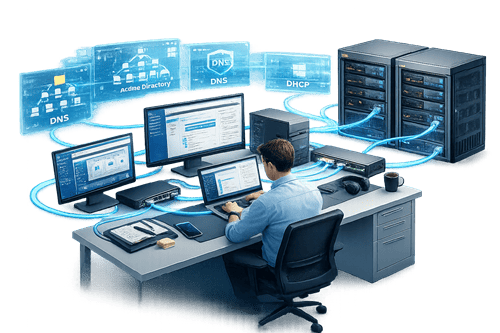
  • Active Directory Basics
    • Domain Naming System (DNS)
    • LDAP, Schema, Replication
    • Global Catalog
    • Active Directory Components: Domain, Tree, Forest, Organizational Units (OUs)
  • Active Directory Domain Services
    • Installing and Configuring AD DS
    • Deploying Domain Controller (Promote Standalone Server)
    • Domain Joining (Windows 8/10 Pro, Member Server)
    • Active Directory Management: User, Group, and OU Management
  • Active Directory Administration
    • FSMO Roles
    • FSMO Roles Transferring and Seizing
    • Active Directory Optimization (Defragmentation, Backup, Restore)
  • Group Policy Management
    • User and Computer Policies
    • Scope of Policies (OU, Domain, Sites)
    • Group Policy Preferences
    • Software Deployment, Folder Redirection, USB Drive Blocking
    • Group Policy Starter GPO
  • DHCP Server
    • Installation and Configuration of DHCP Server
    • DHCP Client Configuration
    • DHCP Scope, Lease, Exclusion, Reservation, Relay Agent
  • DNS Server
    • Name Resolving Concepts
    • DNS Zones: Forward Lookup, Reverse Lookup
    • DNS Resource Records: A, MX, SRV, NS, SOA, CNAME, PTR
    • DNS Caching and Forwarder
  • Core Server Management
    • Core Server Installation and Limitations
    • Working on Core Server Using Commands and Utilities
    • Join Core Server to Domain Controller
  • IPv4
  • IPv6
  • System parts identification
  • BIOS Types and Basic BIOS Setup
  • Identification of Server Machines
  • Disk Partitions
  • Hard disk preparation file system FAT/FAT32/NTFS
  • Installation Different Server OS Versions 2003-2016
  • Establish a simple Workgroup base network
  • Configuration & Verification of System Settings
  • Create, modify & Delete Local users & local Groups
  • Share and NTFS permissions deployment and Testing on Local Machine
  • Installation of Active Directory Domain Services
  • Domain Controller Installation & Verification
  • Establish a Domain base network
  • How to Join a Domain using Administrator Account
  • Active Directory User Management
  • Active Directory Group Management
  • Local Security Policy Deployment & testing
  • Group Policy Design, Configure and deploy Group Policy with Testing
  • Installation, Configuration and testing of stand-alone Server
  • Domain Controller Installation, Configuration & Testing of DC
  • Installation, Configuration & Testing of Domain Client
  • ADC installation, configuration, verification and Troubleshooting
  • RODC installation, configuration, verification and Troubleshooting
  • Remove RODC
  • Child Domain installation, configuration, verification and Troubleshooting
  • FSM Roles Verification GUI | CLI
  • FSMO Roles Transferring
  • FSMO Roles Seizing
  • Verification of Forest & Domain Functional Roles
  • Upgrade & Roll back Forest & Domain functional Roles
  • DHCP Server & Client Installation, Configuration, Verification & Troubleshooting
  • DNS Server & Client Installation, Configuration, Verification & Troubleshooting
  • Active Directory partitions
  • Forest & Domain functional level verify, Raise and Roll Back
  • BACKUP & Restore Active Directory
  • Active Directory Optimization
  • Share and NTFS permission configuration
  • How to take ownership
  • User management (GUI and CLI)
  • Group management and group types, global, local, universal
  • Profile local, roaming profile
  • Z: drive Deployment, verification & troubleshooting
  • Quota Deployment
  • Disk Type basic, dynamic and RAID Configuration & Verification
  • Group Policy
  • Deploy Virtual Lab using Hyper-V
  • CORE Server Installation, verification & Basic Working

Enroll in MCSA Self Paced

Pay to the following account:
Jazz Cash

Account Title:  Shafqaat Mehmood
Account Number  0334 8151525

Bank Name: Faysal Bank

Account Title: Shafqaat Mehmood
Account Number / IBAN:PK71FAYS0001350060007444​
SWIFT CODE: FAYSPKKA120


    Online MCSA –Self Paced

    15000
    10000/-
    • Complete Recorded Training
    • Virtual Labs & Structured Study Material
    • Practical Assignments
    • Topic-Wise Quizzes
    • All Required Software & ISO Images Provided
    • Follow-Up Support Calls
    • CV Writing & Interview Preparation

    Frequently Asked Questions

    How soon can I access the course after payment?
    Your LMS login credentials will be sent within 24 hours after payment verification. You can start learning immediately.
    Yes. All Windows Server software, ISO images, and tools are included for every lab.
    You can perform labs by installing Windows Server on your laptop using VMware Workstation or Hyper-V.

    You will receive three types of certificates as part of your CCNA Self-Paced Training:

    1. EZXPRT Training Completion Certificate – awarded after completing all lessons and labs, confirming your course completion.
    2. Cisco NetAcad Digital Certificates – you will earn 3 digital certificates from Cisco NetAcad for completing different modules and exercises. These are verifiable and recognized by the industry.
    3. Official CCNA Certification – after passing the CCNA exam (voucher included in the premium package), you will receive the globally recognized CCNA certificate from Cisco, validating your networking skills.

    📹 Video Guide: Watch this video to understand all the certificates: CCNA Certificates Overview 

    Yes. You’ll have mentor support via WhatsApp and email to help with questions, labs, or concepts you find challenging.

    You’ll get lifetime access to all recorded videos, labs, and study materials.

    • Training Only (10,000 PKR): Includes self-paced lessons, labs, and mentor support.
    • Training + CCNA Exam Voucher (18,000 PKR): Includes everything in the Training Only package plus a 58% discounted CCNA exam voucher.