CISCO Networking Academy
Master Network Addressing and Basic Troubleshooting
Take your networking foundation deeper and explore the next steps towards a career in tech
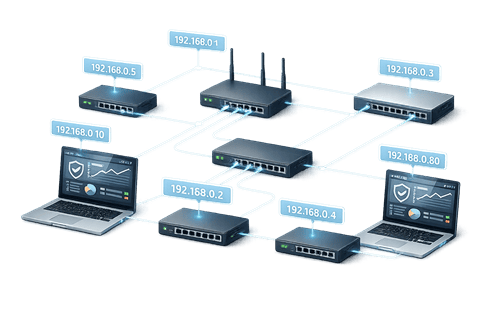
About This Course
The course is designed for anyone looking to build a strong foundation in networking and launch a career in the tech industry. It is ideal for beginners or aspiring network professionals who want to understand the essentials of IP addressing and basic network troubleshooting.
You’ll learn how the physical, data link, and network layers work together to provide seamless connectivity, how to calculate and assign IP addresses, and how to apply troubleshooting techniques to maintain a fully functional network. This course equips you with the practical knowledge and skills needed to confidently manage and troubleshoot basic networks.
Course Details
Level
Beginner
Mode
Self-paced
Platform
Cisco NetAcad
Cost
Free
Achievements



Course Curriculum
Module 1: Physical Layer
- Introduction
- Purpose of the Physical Layer
- Physical Layer Characteristics
- Copper Cabling
- UTP Cabling
- Fiber-Optic Cabling
- Physical Layer Summary
Module 2: Data Link Layer
- Introduction
- Topologies
- Media Access Control Methods
- Data Link Layer Summary
Module 3: Routing at the Network Layer
- Introduction
- How a Host Routes
- Routing Tables
- Routing at the Network Layer Summary
Module 4: IPv6 Addressing
- Introduction
- IPv6 Address Types
- GUA and LLA Static Configuration
- Dynamic Addressing for IPv6 GUAs
- Dynamic Addressing for IPv6 LLAs
- IPv6 Multicast Addresses
- IPv6 Addressing Summary
Module 5: IPv6 Neighbor Discovery
- Introduction
- Neighbor Discovery Operation
- IPv6 Neighbor Discovery Summary
Module 6: Cisco Switches and Routers
- Introduction
- Cisco Switches
- Switch Speeds and Forwarding Methods
- Switch Boot Process
- Cisco Routers
- Router Boot Process
- Cisco Switches and Routers Summary
Module 7: Troubleshoot Common Network Problems
- Introduction
- The Troubleshooting Process
- Physical Layer Problems
- Troubleshoot Wireless Issues
- Common Internet Connectivity Issues
- Customer Support
- Troubleshoot Common Network Problems Summary
Enrollment Steps
Step 1: Enrollment
Fill out the Enrollment Form to get started.
Step 2: Confirmation Email
Check your inbox for the course access link and instructions.
Step 3:Access Course
Click the link to log in to Cisco NetAcad and start learning.
Step 4: Complete Modules
Watch video lessons, perform hands-on exercises, and explore PC components.
Step 5: Assess Knowledge
Take quizzes and practice labs to reinforce your learning.
Step 6: Earn Digital Badge
Complete the course and receive your digital badge to showcase your achievement.
Begin Your Network Troubleshooting Journey

Frequently Asked Questions
How do I enroll in the course?
Click the “Enrollment Steps” button, follow the instructions, and submit the enrollment form. You’ll receive a confirmation email with the course link.
Do I need any prior experience in IT?
No. These courses are beginner-friendly. You can start with no prior knowledge and build your skills step by step.
Will I get a certificate after completing the course?
Some courses provide digital badges, while others may offer certificates. Check the course page for the specific reward.
How do I access the course content?
After enrollment, you’ll receive an email with a link to the Cisco NetAcad platform. Log in to access lessons, labs, and quizzes.
Who can I contact if I face issues?
If you have technical or enrollment issues, contact our support team through the email or WhatsApp.