CISCO Networking Academy
Master the Basics of Computer and Mobile Operating Systems
Start learning the basics of computer hardware and discover the components of PCs, laptops and mobile devices.
About This Course
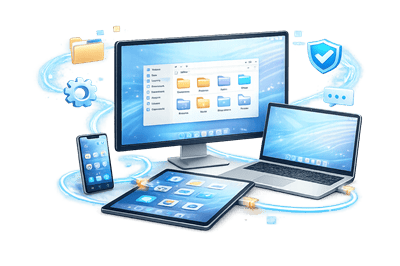
The course is designed for anyone who wants to understand how operating systems power today’s smart devices — from personal computers and smartphones to game consoles and smart TVs. This Operating Systems Basics course helps you learn the fundamentals of operating systems, including Windows, Linux, macOS, Android, and iOS. Understanding how operating systems work is an essential digital skill in today’s technology-driven world.
Operating Systems Basics introduces you to core operating system concepts such as OS functions, file systems, process management, memory management, and basic operating system security. You’ll also learn how to configure mobile device network connectivity and email settings, gaining practical knowledge of computer operating systems and mobile operating systems.
Course Details
Level
Beginner
Mode
Self-paced
Platform
Cisco NetAcad
Cost
Free
Achievements



Course Curriculum
Module 1: The Windows Operating System
- Introduction
- Windows History
- Windows Architecture and Operations
- Windows Configuration and Monitoring
- Windows Security
- The Windows Operating System Summary
Module 2: Linux Overview
- Introduction
- Linux Basics
- Working in the Linux Shell
- Linux Servers and Clients
- Basic Server Administration
- The Linux File System
- Working with the Linux GUI
- Working on a Linux Host
- Linux Overview Summary
Module 3: Mobile Device Connectivity
- Introduction
- Wireless and Cellular Data Network
- Bluetooth
- Email Configuration
- Mobile Device Synchronization
- Mobile Device Connectivity Summary
Module 4: Mobile Operating Systems and Security
- Introduction
- Android Versus iOS
- Mobile Touch Interface
- Common Mobile Device Features
- Passcode Locks
- Cloud-Enabled Services for Mobile Devices
- Mobile Device Software Security
- Mobile Operating Systems and Security Summary
Enrollment Steps
Step 1: Enrollment
Fill out the Enrollment Form to get started.
Step 2: Confirmation Email
Check your inbox for the course access link and instructions.
Step 3:Access Course
Click the link to log in to Cisco NetAcad and start learning.
Step 4: Complete Modules
Watch video lessons, perform hands-on exercises, and explore PC components.
Step 5: Assess Knowledge
Take quizzes and practice labs to reinforce your learning.
Step 6: Earn Digital Badge
Complete the course and receive your digital badge to showcase your achievement.
Begin Your Operating Systems Journey Today

Frequently Asked Questions
How do I enroll in the course?
Click the “Enrollment Steps” button, follow the instructions, and submit the enrollment form. You’ll receive a confirmation email with the course link.
Do I need any prior experience in IT?
No. These courses are beginner-friendly. You can start with no prior knowledge and build your skills step by step.
Will I get a certificate after completing the course?
Some courses provide digital badges, while others may offer certificates. Check the course page for the specific reward.
How do I access the course content?
After enrollment, you’ll receive an email with a link to the Cisco NetAcad platform. Log in to access lessons, labs, and quizzes.
Who can I contact if I face issues?
If you have technical or enrollment issues, contact our support team through the email or WhatsApp.